
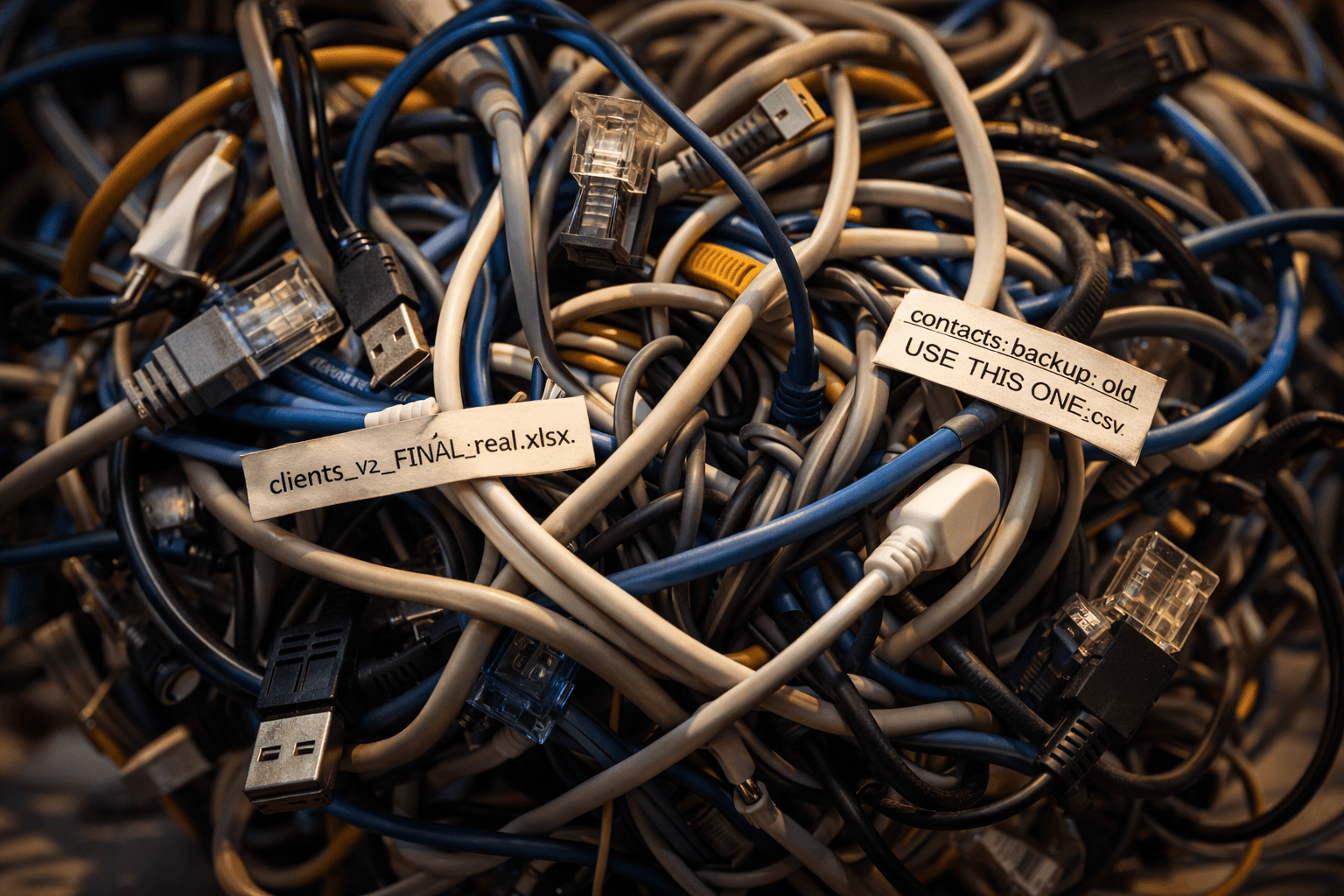
Your Data Is a Mess (And That's Why Your AI Project Will Fail)
Before you spend a dollar on AI, look at your data. If it's scattered across spreadsheets, inboxes, and people's heads, no AI tool in the world will save you.
Here is a pattern that plays out constantly when businesses adopt AI. Picture an accounting firm getting excited. They've read the articles, seen the demos, sat through a vendor pitch promising their client intake process can be fully automated. No more manual data entry. No more chasing missing documents. The AI will handle it.
They sign a five-figure implementation contract. The vendor is competent. The technology is sound. The project timeline is 90 days.
It takes three weeks before anyone realizes the real problem.
The firm's client records are split across three systems: their practice management software, a separate CRM they adopted two years ago, and — this is the painful part — a collection of Excel spreadsheets that one of the partners has been maintaining since 2019. The same client appears in all three systems with slightly different names. "Johnson & Associates" in one system, "Johnson and Associates LLC" in another, "Johnson Assoc." in the spreadsheet. Addresses are inconsistent. Some records have tax IDs; others have placeholder text where the tax ID should be.
The AI looks at this data and does exactly what AI does with messy data: it produces confidently wrong results. It merges records that shouldn't be merged. It creates duplicate entries where records are actually the same client. It flags clean records as errors and passes actual errors through without blinking.
The firm spends thousands more and two extra months cleaning up the mess before the AI can do anything useful. The 90-day project becomes an eight-month ordeal. The AI itself works fine. The data is the problem.
This is the story nobody tells you before selling you an AI implementation.
The Prerequisite Nobody Talks About
Every AI vendor demo uses clean data. Of course it does — the demo is designed to sell you on what's possible, not to show you the three months of data cleanup required to get there.
But here's the reality: AI is only as good as the data you feed it. This isn't a minor caveat. It's the single biggest factor in whether your AI project succeeds or fails. Studies from multiple consulting firms put the number at somewhere between 60 and 80 percent of AI project time being spent on data preparation. Not building the AI. Not training models. Not integration. Just getting the data into a shape that the AI can actually use.
For a small business considering AI integration, this means the first question isn't "which AI tool should we buy?" It's "is our data ready for any AI tool at all?"
Most of the time, the honest answer is no.
What "Clean Data" Actually Means
"Clean data" sounds like corporate jargon, but it's a simple concept. Your data is clean when a stranger could look at it and understand it without calling you to ask questions.
That means:
Consistent formatting. Phone numbers all follow the same format. Dates all use the same convention. Names are spelled out fully or abbreviated consistently — not a mix of both.
No duplicates. Each customer, vendor, project, or record appears exactly once. If the same entity exists in multiple systems, there's a clear primary record and everything else points to it.
Complete records. Required fields are actually filled in. Not with "TBD" or "ask Janet" or a blank space — with real data.
Accurate information. The data reflects reality. Addresses are current. Contact information is up to date. Financial figures match what's in your accounting system.
Single source of truth. There's one place where each type of data lives. Not three spreadsheets and an email folder and someone's memory.
If that list made you wince, you're not alone. Most small businesses fail on at least three of those five criteria. That's normal. It's also the thing that will tank your AI project if you don't fix it first.
The Five Data Problems That Kill AI Projects
These are the specific issues we see most often. If you recognize your business in any of these, you've got work to do before investing in AI.
1. The Spreadsheet Archipelago
Critical business data lives in spreadsheets. Not one spreadsheet — many. Different team members maintain their own versions. Nobody is sure which one is current. Some have formulas that reference other spreadsheets that may or may not still exist.
An AI tool that needs to pull client information will get different answers depending on which spreadsheet it reads. That's not an AI problem. That's a data architecture problem.
2. The Naming Convention Problem
This is what killed the accounting firm's project. The same entity has different names in different systems. It's not just a cosmetic issue — it means any AI trying to connect records across systems will either miss matches or create false ones.
This shows up everywhere: client names, product names, vendor names, project codes. If your team has ever said "oh, that's the same thing, we just call it something different in [other system]," you have this problem.
3. The Tribal Knowledge Gap
Some of the most important data in your business isn't in any system at all. It's in people's heads. Your office manager knows that "rush" clients always get priority. Your senior technician knows which equipment works with which building type. Your sales lead knows that certain clients always pay late.
None of that is written down. None of it is in a database. And none of it is available to an AI tool.
This is the hardest data problem to solve because it doesn't feel like a data problem. It feels like experience. But to an AI, information that isn't recorded doesn't exist. If you want AI to handle customer onboarding the way your best employee does, someone has to capture what that employee knows and put it somewhere the AI can read it.

4. The Integration Desert
Your accounting software doesn't talk to your CRM. Your CRM doesn't talk to your project management tool. Your project management tool doesn't talk to your scheduling system. Each tool works fine on its own, but getting data from one to another requires a person to copy and paste — or worse, re-type — information.
AI tools can't fix disconnected systems. They can automate what happens within a system, and they can move data between systems if those systems have APIs that allow it. But if your tools are isolated islands with no bridges between them, the AI has the same problem your employees do: it can't see the full picture.
This is where workflow automation usually needs to come before AI. Connect your systems first, automate the data flow between them, and then add AI on top.
5. The Historical Black Hole
You want AI to predict which clients are likely to churn, or which products will sell best next quarter, or which marketing channels produce the best leads. Great use cases, all of them. But they all require historical data — months or years of it — in a consistent, accessible format.
If your business switched CRM systems two years ago and didn't migrate the old data, you've got a gap. If your sales records before 2024 are in a different format than your current ones, the AI can't compare them. If you only started tracking certain metrics six months ago, you don't have enough data for the AI to find patterns.
Historical data gaps aren't something you can fix quickly. But knowing they exist helps you set realistic expectations about what AI can do for you today versus what it'll be able to do once you've accumulated better data.
The Data Readiness Checklist
Before you spend money on any AI implementation, walk through these questions. Be honest. "Sort of" counts as "no."
Data Location
- Can you identify where all your critical business data lives? Every system, every spreadsheet, every folder?
- Is there a single source of truth for each type of data (clients, vendors, transactions, projects)?
- Can someone other than the person who set it up find and access this data?
Data Quality
- Are naming conventions consistent across all your systems?
- Are required fields actually filled in — not with placeholders, but with real data?
- When was the last time someone audited your data for duplicates?
- Do your records reflect current reality, or are there outdated addresses, old contact info, or former employees still in the system?
Data Connectivity
- Do your core business systems share data automatically, or does someone have to move it by hand?
- Can you pull a report that combines data from multiple systems without manual work?
- If you use tools like Zapier, n8n, or Make, are those automations running reliably?
Data History
- Do you have at least 12 months of consistent, formatted historical data for the processes you want to automate?
- Has your data format remained stable, or have you switched systems or conventions in the past two years?
Data Knowledge
- Is your team's institutional knowledge documented anywhere, or does it live entirely in people's heads?
- If your most experienced employee left tomorrow, would the replacement be able to find everything they need in your systems?
If you answered "no" to more than three of these questions, you have data work to do before an AI project will succeed. That's not a failure — it's a realistic starting point.
What to Do About It
The temptation is to put off the AI project and embark on a massive data cleanup initiative. Don't do that either. Multi-month data transformation projects have their own failure rate, and they tend to lose momentum around week six when the excitement wears off and the tedious work remains.
Instead, pick one process. The one you most want to automate. Then work backward from there.
If you want to automate client intake, start by cleaning just your client data. Deduplicate it. Standardize the naming. Fill in the missing fields. Get it into one system. That might take a week or two of focused effort, not months.
Then automate that one process. See the results. Use that momentum to clean up the next dataset for the next automation. This is the same philosophy we recommend for AI implementation in general — start small, prove value, then expand.
The businesses that succeed with AI aren't the ones with perfect data. They're the ones who are honest about where their data stands and willing to do the unglamorous work of fixing it before throwing technology at the problem. If you want to understand how much that implementation really costs, the data cleanup phase is where the hidden hours live.
The Uncomfortable Truth
Data cleanup isn't exciting. Nobody is going to write a LinkedIn post about how they spent three days deduplicating a client database. There's no conference talk in standardizing your naming conventions. It's tedious, detail-oriented, ungrateful work.
It's also the difference between an AI project that works and one that becomes an expensive cautionary tale.
Firms in this situation eventually get their AI systems running. The automation does save significant time on client intake. But ask anyone who has been through it, and they'll say the same thing: they wish they'd spent the first chunk of money on data cleanup before signing the AI contract. Not after.
Your data is probably a mess. That's okay. Most businesses' data is a mess. The mistake isn't having messy data. The mistake is pretending it's fine and hoping the AI will sort it out.
It won't. Fix the data first. The AI will be there when you're ready.
If you suspect your data isn't ready for AI and want an honest assessment before spending money, let's figure it out.
Blue Octopus Technology helps small businesses clean up their data and build AI systems that actually work. Learn about our process.
Keep reading
More from the field.
Stay Connected
Get practical insights on using AI and automation to grow your business. No fluff.