
Running AI Agents Across Three Machines for Under $50/Month
Our AI operation runs on a laptop, a GPU workstation, and a NAS. Total monthly cost: under $50. Here's the real infrastructure, real costs, and why each machine exists.
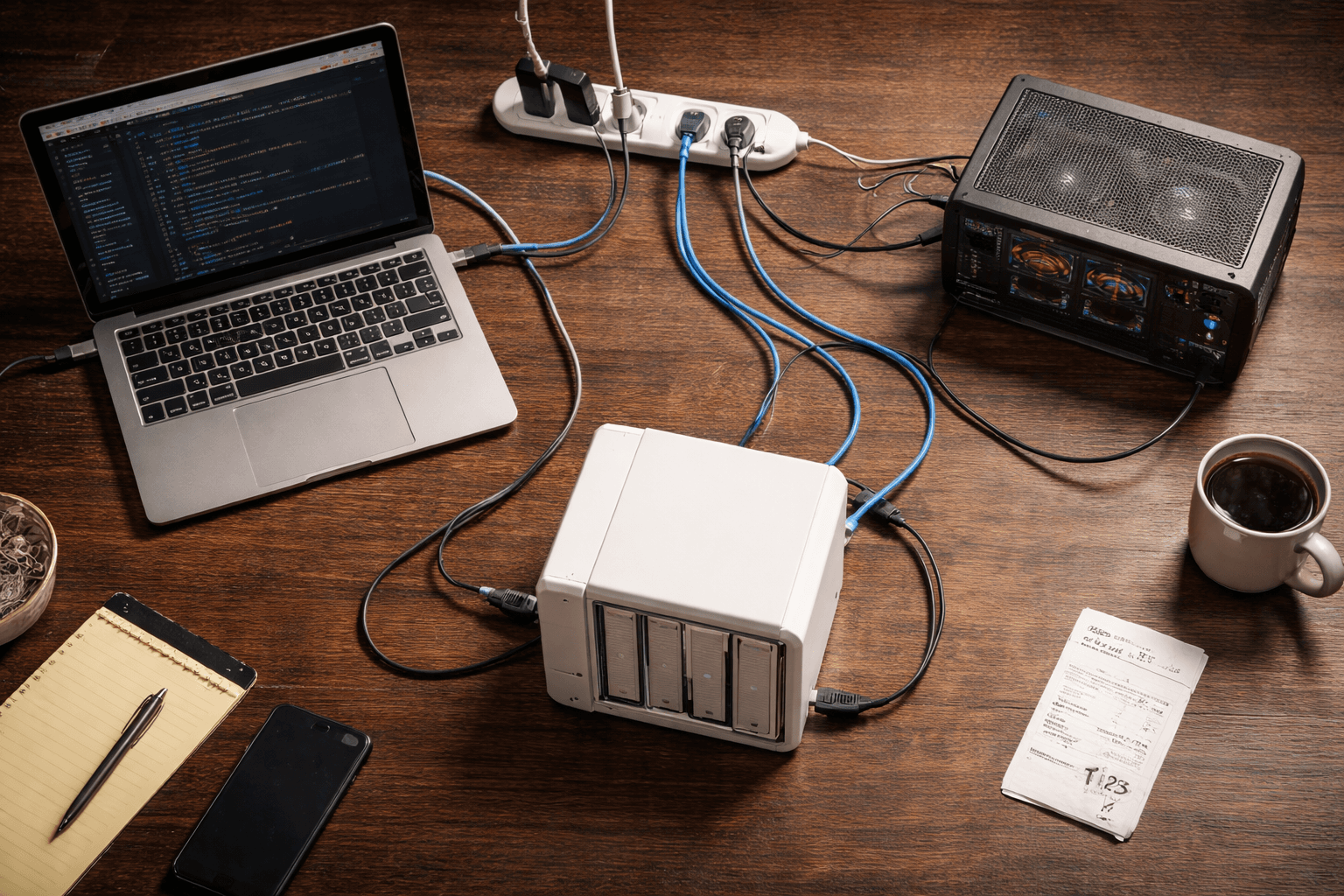
Our AI operation runs across three machines. A laptop, a GPU workstation, and a storage server. Total monthly cost: under $50.
That number surprises people. They assume AI infrastructure means cloud bills with four digits, or enterprise contracts with minimum commitments. It doesn't have to. We run a full intelligence pipeline — research processing, content creation, video transcription, local language models, automated scheduling, shared storage, and backups — on hardware we already own and cloud services that mostly cost nothing.
Here's the setup, why each machine exists, and what it actually costs.
Why Three Machines?
Different jobs need different hardware. This sounds obvious, but it's the reason most people either overspend on cloud infrastructure or underperform on a single laptop.
Research and writing need fast, interactive responses. You're in a conversation with an AI, processing links, writing content, making decisions in real time. Latency matters. You need a machine that's always ready.
Video transcription and local AI models need GPU memory. Lots of it. Transcribing a 30-minute video on a laptop CPU takes an hour. On a dedicated GPU, it takes minutes. Running a local language model without a GPU is technically possible and practically miserable.
Persistent storage and backups need always-on, low-power hardware. Not a laptop that sleeps when you close the lid. Not a workstation that draws 200 watts sitting idle. A device designed to run 24/7 and serve files to anything on the network.
Trying to do all three on one machine means compromises everywhere. The laptop gets hot during transcription. The workstation is overkill for writing. Neither one should be your backup server. Each machine does what it's best at, and the total is more capable than any single machine at any price.
Machine 1: The Laptop (Command Center)
This is where the human works. A MacBook running Claude Code — Anthropic's CLI tool that gives an AI full access to your filesystem, git, shell commands, and external tools.
Every morning, scheduled tasks fire automatically. At 7 AM, a job sweep checks target company career pages for new postings. At 8 AM, a daily pulse report reads the project registry, checks the job search pipeline for overdue follow-ups, and writes a morning briefing. By the time the laptop opens, there's already a status report waiting.
During the day, this machine handles interactive work. Processing research links through an 8-step intelligence pipeline. Writing blog posts. Managing a content calendar. Coordinating a job search across 150+ target companies. Running a project portfolio tracker that covers 19 projects across 6 tiers. All of it happens in the terminal, through structured workflows that Claude executes step by step.
The laptop is the source of truth. It owns the canonical state of every research file, every project file, every content pipeline entry. When something changes, it changes here first.
Cost: Hardware owned. Cloud API calls run $20-40/month depending on how heavy the research sessions are. That's the real expense — not infrastructure, but intelligence. The AI reasoning is what costs money. Everything else is essentially free.
Machine 2: The GPU Workstation (Heavy Lifter)

A desktop machine running an NVIDIA RTX 4000 SFF Ada with 20GB of video memory. That's the number that matters — VRAM determines what you can run locally and how fast.
The primary job is video transcription. We use faster-whisper with the large-v3 model, which is the current state of the art for local speech-to-text. A 30-minute video transcribes in about 3 minutes. On a laptop CPU, that same video takes 30-60 minutes. The GPU isn't just faster — it changes whether transcription is practical to do at all.
The secondary job is local language model inference. Ollama runs on this machine, currently hosting an 8-billion parameter model. That's useful for batch processing tasks where you don't want to burn API credits — things like summarizing large documents, classifying text, or running preliminary analysis before sending the refined version to a cloud model.
The third job is image generation. ComfyUI with Flux models can produce blog post images, social media graphics, or design concepts. This one's a VRAM hog — it needs the full 20GB, so it can't run alongside other GPU services.
That's an important detail: not all GPU services can run simultaneously. A service switcher script manages which mode the GPU is in — transcription, language models, or image generation — because they compete for the same memory. It's not a limitation. It's a design decision. You schedule the work that needs the GPU and switch modes between batches.
The workstation auto-syncs with the main repository every 30 minutes via a cron job. It pulls changes from the laptop, pushes its own outputs (transcripts, processed files, generated images), and keeps everything current. The sync only touches files that this machine is allowed to write — a critical rule we'll come back to.
Cost: Hardware owned. Electricity runs about $5/month. The machine isn't running 24/7 — it draws significant power under GPU load but sleeps when there's no batch work queued.
Machine 3: The NAS (Vault)
A Synology DS920+ with three 4TB drives in RAID 5. That gives about 7TB of usable storage with single-drive fault tolerance — if one drive dies, no data is lost. Two NVMe SSDs serve as read/write cache for faster access.
The NAS does three things.
Shared network storage. Both the laptop and the workstation can access files on the NAS over the local network. Large files — videos waiting to be transcribed, AI models, generated images, media archives — live here instead of in git. A 2GB video file has no business in a code repository. It belongs on network storage where any machine can grab it without a git push/pull cycle.
Backups. Every repository, every project directory, every critical file gets backed up to the NAS. The RAID configuration means the backup itself is resilient. This is the "sleep well at night" machine.
Always-on services. The NAS runs Docker containers for services that should be available 24/7 — things like a project dashboard that reads the same markdown files the AI reads and writes. The laptop can sleep. The workstation can be off. The NAS keeps running on about 30 watts.
Cost: Hardware owned. Electricity is roughly $3/month. NAS devices are designed for continuous operation at minimal power draw. That's the entire value proposition — always on, always available, negligible running cost.
How They Talk to Each Other
Three machines writing to the same files is a recipe for chaos. The coordination protocol is simple, strict, and based on one principle: clear ownership.
Git is the coordination layer. Both the laptop and the workstation push and pull from the same GitHub repository. But they don't write to the same files. Ever.
The laptop owns all the primary files — research logs, project registry, content pipeline, strategy documents, tool evaluations, status reports. The workstation can only write to designated directories — its own staging area, an integration log, and the transcripts folder. Everything else is read-only on the workstation.
Since each machine writes to different directories, merges are always clean. Both machines use git pull --rebase before starting any work, which ensures a linear commit history. In practice, this means zero merge conflicts. Not "rare" merge conflicts. Zero. Because the write paths never overlap.
For large binary files, the NAS replaces git entirely. A video downloaded to the NAS is immediately visible to the workstation via a network mount. No git push needed for a 2GB file. Git stays lean — it only handles code and markdown.
The workstation's 30-minute auto-sync handles the rest. It pulls whatever the laptop pushed, stages only files in its permitted directories, commits, and pushes. The laptop picks up the transcripts and processing results on its next pull.
It sounds over-engineered for three machines. It's not. These rules were established before the hardware was set up, which meant provisioning was scripted and repeatable rather than ad-hoc. The coordination protocol took an afternoon to design. It has prevented every conflict that would have otherwise wasted hours.
The Cloud Services (Where the Money Actually Goes)
The hardware is owned. The monthly bill comes from cloud services, and most of them are free.
Claude API: $20-40/month. This is the brain of the operation. Every research analysis, every content draft, every status report, every scheduled job. The cost scales with usage — heavy research days burn more tokens. Light days cost almost nothing. This is the one line item that actually matters.
GitHub (free tier): $0/month. Code storage, version history, and the coordination layer between machines. The free tier handles private repositories with no meaningful limits for a small operation.
Vercel (free tier): $0/month. Hosts the business website. Automatic deploys from git. The free tier includes custom domains, SSL, and enough bandwidth for a consultancy's website traffic. We've never come close to the limits.
Supabase (free tier): $0/month. A Postgres database available when specific projects need one. Most of our system runs on markdown files in git — no database required. Supabase sits in reserve for projects that genuinely need structured queries.
Buffer: $6/month. Social media scheduling. Queues posts for X and (eventually) Facebook. The paid tier gives enough scheduled posts and connected accounts for a small business. This is the only non-AI service we actually pay for.
Total monthly cost: roughly $35-55. The variance comes from Claude API usage. A week of heavy research and content creation pushes the high end. A quiet week of mostly maintenance drops to the low end.
The pattern is worth noting: the expensive part is AI reasoning, not infrastructure. Storage is free. Hosting is free. The database is free. Code management is free. What costs money is the actual intelligence — the AI analyzing content, generating drafts, making connections across 150+ processed research links. That's the part worth paying for. (We broke down the full economics of this in managing AI agent costs.)
What You Could Cut
You don't need three machines.
Don't have a GPU? Skip the workstation entirely. Use a cloud transcription service for the occasional video. Most businesses don't process enough audio/video to justify dedicated hardware. The workstation exists because our pipeline handles regular transcription volume. If yours doesn't, a $0.006/minute cloud API covers it.
Don't need a NAS? Use cloud storage. Google Drive, Dropbox, iCloud — any of them replace the shared storage function. You lose the local speed and the always-on Docker hosting, but for most small operations, cloud storage is fine. Backups go to whatever cloud service you already pay for.
The minimum viable version: One laptop, a Claude API key, and free-tier cloud services. That's $20-30/month for a complete AI-assisted research and content operation. No GPU. No NAS. No network coordination protocol. Just a machine, a brain, and a workflow. If you want a deeper look at what's possible on a tight budget, we wrote a full guide to running AI agents on a budget.
Each additional machine is an upgrade, not a requirement. The GPU workstation was added when transcription volume made CPU processing impractical. The NAS was added when large files outgrew git and backups needed a dedicated home. Neither was purchased for this project — they were existing hardware that found a purpose.
The Honest Take
This setup didn't happen overnight. Let's be transparent about the real costs.
Hardware investment: The three machines represent over $2,000 in owned hardware. The GPU workstation alone accounts for most of that. We didn't buy these machines to run AI operations — they existed already and were repurposed. But someone starting from scratch would face real upfront costs.
Time investment: Designing the coordination protocol, writing the sync scripts, configuring the scheduled tasks, testing the GPU service switcher, setting up the NAS — that took days, not hours. The monthly cost is low because the setup cost was significant. Time is not free, even if it doesn't show up on a bill.
Complexity: Three machines are three things that can break. The auto-sync can fail silently. The GPU service switcher needs manual mode changes. The NAS requires occasional maintenance. Each machine adds reliability surface area. For one person managing it all, that's manageable. For a team without technical depth, it would be a problem.
For most small businesses, you don't need three machines. You need one machine and a clear workflow. The lesson isn't "buy hardware." The lesson is "use what you have intelligently."
A single laptop running Claude Code with well-designed workflows will outperform a three-machine setup with no workflows every time. The infrastructure matters less than the process. We could lose two of these machines tomorrow and still run 80% of the operation from the laptop alone.
What This Means for Your Business
AI infrastructure doesn't have to be expensive. That's the headline, but the details matter more.
Owned hardware beats cloud rentals for predictable workloads. If you transcribe video every week, a one-time GPU purchase pays for itself in months compared to cloud transcription bills. If you transcribe video twice a year, cloud services are cheaper. Match the hardware to the workload.
Free tiers do real work. GitHub, Vercel, and Supabase aren't toy-tier offerings. They're production-grade services with generous free plans. We host a real business website, manage real code, and have a real database available — all for $0/month. These aren't demos. They're the actual infrastructure.
The right architecture depends on your workload, not what looks impressive. Three machines on a local network sounds cool. It's useful exactly because each machine solves a specific bottleneck. If you don't have those bottlenecks, the extra machines are overhead, not capability.
Start with what you have. Add machines when a specific bottleneck demands it. We ran this entire operation on a single laptop for weeks before the GPU workstation was set up. The NAS came online later. Each addition solved a real problem — not a theoretical one. That's the right order: workflow first, then infrastructure to support it.
The most expensive AI setup we've seen at small companies isn't the one with the most hardware. It's the one with no clear workflow. A $10,000 cloud bill powering unfocused experiments costs more and delivers less than a $50/month operation with a defined pipeline.
Figure out your workflow. Then figure out your infrastructure. Not the other way around.
Build Smart, Not Big
We help businesses design AI infrastructure that fits their actual needs — not what a vendor wants to sell them. Whether that's a single laptop with the right workflows or a multi-machine setup with clear coordination, the goal is the same: maximum capability at minimum cost.
If you're spending more than you should on AI infrastructure — or not sure where to start — let's figure out what you actually need.
Blue Octopus Technology helps businesses work smarter with AI — without the complexity. See what we build.
Keep reading
More from the field.
AI Agents on a Budget: A Cost Optimization Guide for Small Businesses
Read AI Architecture & MethodologyHow We Built an AI Research Pipeline That Processes 20 Links in 10 Minutes
Read AI Strategy & Business DecisionsYour Business Needs an Intelligence System, Not More Bookmarks
ReadStay Connected
Get practical insights on using AI and automation to grow your business. No fluff.